














Same Day Shipping
On orders placed before 2pm EST Mon-Fri
*Some Restrictions May Apply
 Skip to content



 Shop By Interest
 Shop By Interest
 Contractors & Installers
 Electricians
 Industrial
 IT/Communications
 Audio & Video
 Automotive
 Residential
 Office
 Military Entities
 Government Entities
 Educational Entities

You can't add more product to the cart as we are sold out.
You can't add more product to the cart as we are sold out.
You can't add more product to the cart as we are sold out.
You can't add more product to the cart as we are sold out.
You can't add more product to the cart as we are sold out.
You can't add more product to the cart as we are sold out.
You can't add more product to the cart as we are sold out.
You can't add more product to the cart as we are sold out.
You can't add more product to the cart as we are sold out.
You can't add more product to the cart as we are sold out.



You can't add more product to the cart as we are sold out.
You can't add more product to the cart as we are sold out.

You can't add more product to the cart as we are sold out.

You can't add more product to the cart as we are sold out.

You can't add more product to the cart as we are sold out.
You can't add more product to the cart as we are sold out.

You can't add more product to the cart as we are sold out.
You can't add more product to the cart as we are sold out.
You can't add more product to the cart as we are sold out.
You can't add more product to the cart as we are sold out.
You can't add more product to the cart as we are sold out.
You can't add more product to the cart as we are sold out.



You can't add more product to the cart as we are sold out.
You can't add more product to the cart as we are sold out.
You can't add more product to the cart as we are sold out.
You can't add more product to the cart as we are sold out.
You can't add more product to the cart as we are sold out.
You can't add more product to the cart as we are sold out.


You can't add more product to the cart as we are sold out.
You can't add more product to the cart as we are sold out.

You can't add more product to the cart as we are sold out.
You can't add more product to the cart as we are sold out.
You can't add more product to the cart as we are sold out.
You can't add more product to the cart as we are sold out.
You can't add more product to the cart as we are sold out.
You can't add more product to the cart as we are sold out.
You can't add more product to the cart as we are sold out.
You can't add more product to the cart as we are sold out.
You can't add more product to the cart as we are sold out.
You can't add more product to the cart as we are sold out.
You can't add more product to the cart as we are sold out.
You can't add more product to the cart as we are sold out.

You can't add more product to the cart as we are sold out.



On orders placed before 2pm EST Mon-Fri
*Some Restrictions May Apply
Earn Power Points by creating an account, placing an order, following us on social accounts, celebrating a birthday, leaving a review, or any other qualifying activity!

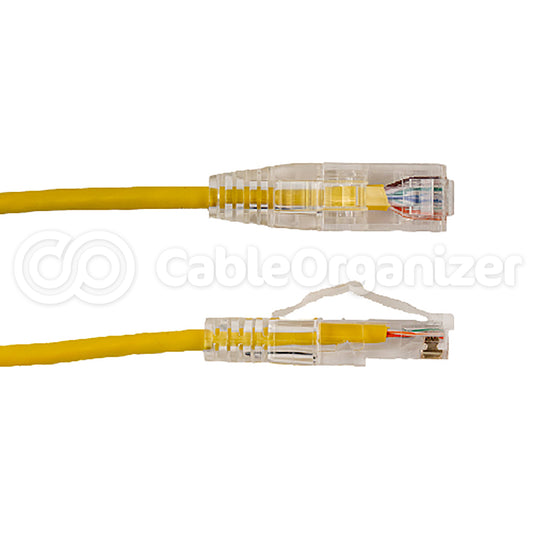
When you’re looking to achieve a strong, stable, network performance, the small yet mighty RJ45 Connector is a pivotal part of wired networking infrastructure within homes, offices, and data centers.

Network cables are crucial components for wired internet and data connections, as fast, reliable, and secure ways to transmit information between devices. While wireless connections can be impacted by signal...