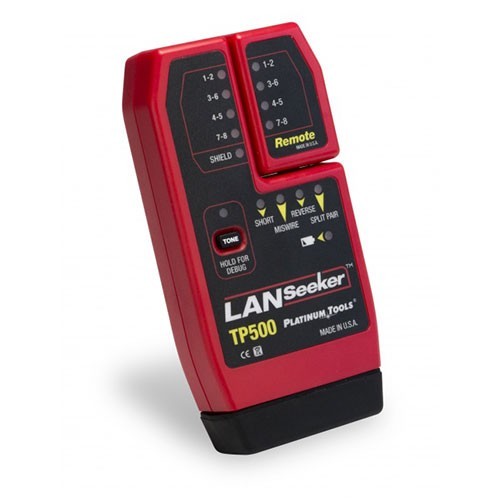
This simple testing technique is a great way to check the connection quality of RJ45 terminations on new CAT5, CAT5e, CAT6 and CAT6a LAN cables. It can also be helpful in troubleshooting the data transmission problems in existing network cabling. Check out our line of LAN cable testers here.
PROJECT CHECKLIST
|
|---|
| Experience Level: Intermediate |
| Time Required: 2 Minutes |
| Steps: 4 |
| Supplies: CAT Cables, RJ45 Connectors and LAN cable tester or multi-network modular cable tester |


STEP 2
Plug the ends of your RJ45-terminated cable into your tester's port or ports … it doesn't matter what order you do this in.

STEP 3
Depending on which tester you use, the test function will be either manual or automatic. If you're using the automatic test mode, simply push the button and let the unit do its work. If you need to use a manual mode, simply hit the test button repeatedly to advance through all wires.

STEP 4
Watch your unit’s screen or indicator lights as the test sequence is completed for each wire. Your screen or indicator lights — if brightly lit — will show you an optimum connection has been made, if both the “input” and “output” indicators for each wire are brightly lit. Dim lights indicate a poor connection — and no light at all lets you know that connection is not being made.
Shop at CableOrganizer® for all your cable management needs, including cables and wires, network products and more.