USB Cable FAQs
By: CableOrganizer®
WHAT DOES "USB" STAND FOR?
The acronym “USB” is short for the term Universal Serial Bus, a hardware interface that was developed so that peripheral devices like computer mice, keyboards, printers, digital cameras, scanners, PDA's and MP3 players can be easily connected to PCs. Computer manufacturers first began to replace serial and parallel ports with USB ports in 1997. Today, almost all computers on the market contains several ports for USB connections.
WHAT ARE TYPICAL TRANSMISSION SPEEDS FOR USB CABLES?
Generally speaking, USB cables are classified into one of two different bandwidth groups: 1.1, which transfers data at a maximum rate of 1.5 Mbit per second, and 2.0, with a 480 Mbit per second data transfer rate. USB 2.0 is backward compatible with the lower data transmission requirements of 1.1, but the substitution can’t be reversed; 1.1 just can’t deliver the rate of data transfer that USB 2.0-rated devices need.
In addition to the bandwidth classifications listed above, USB devices can also be labeled in the following “speed” categories, which specify the amount of bandwidth they need to operate:
- Low Speed: The “low speed” rating indicates that a device requires minimal bandwidth (1.5 Mbit/s) to function, so it can be used in conjunction with either 1.1 or 2.0 USB cables. Joysticks, keyboards and computer mice are a few common examples of Low Speed devices.
- Full Speed: Devices labeled “Full Speed” need a signal rate of 12 Mbit per second. Since this is such a common bandwidth requirement, all USB hubs on the market have been designed to support Full Speed. And even though the data transfer speed is higher, Full Speed — like Low Speed — transmits equally well via 1.1 or 2.0 USB cables.
- High Speed: “High speed” USB devices run at 480 Mbit per second and require a 2.0-rated USB cable.
- SuperSpeed: This category was developed with USB 3.0, with SuperSpeed+ within version 3.1.USB 3.0 allows for quicker connections, with USB 3.0 at 5 Gbit/s, 3.1 at 10 Gbit/s and UUSB 3.2 at 20 Gbit/s. USB-C is compatible with larger electronics and can support devices at a speed of 40 Gbit/s.
WHAT DOES IT MEAN WHEN USB CABLES & DEVICES ARE DESCRIBED AS "HOT SWAPPABLE"?
One of the most convenient features of USB cables and devices is their ability to be “hot swapped,” which means that they can be plugged into — and unplugged from — a computer as needed, without that computer needing to be powered down first.
IS THERE AN ORGANIZATION THAT SETS USB PERFORMANCE STANDARDS?
The USB Implementers Forum, a non-profit organization otherwise known as the USB-IF, is the group responsible for promoting and supporting USB standards. Made up of companies that developed USB technology, the USB-IF includes notable corporations like Apple, HP, Intel and Microsoft.
HOW MANY TYPES OF USB CONNECTORS ARE THERE?
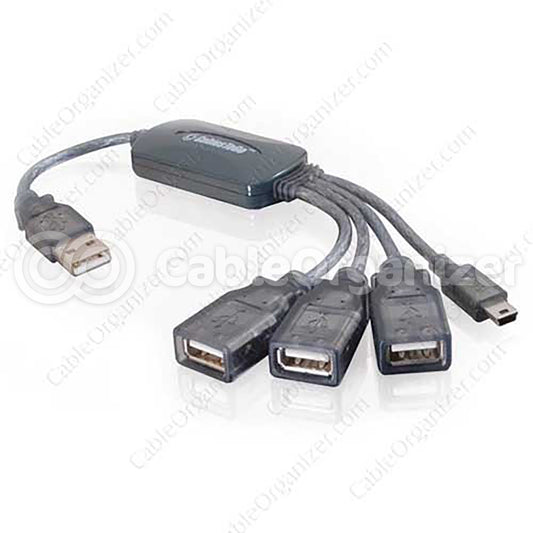
USB connectors — and, by extension, USB ports — can be found in two different styles: type “A” (for hosts and USB hubs) and type “B” (for peripheral devices). In addition, USB plugs fall into three different size ranges: standard, mini, and micro. Here’s a general breakdown of how connector styles differ by size class, and the applications each is used for:

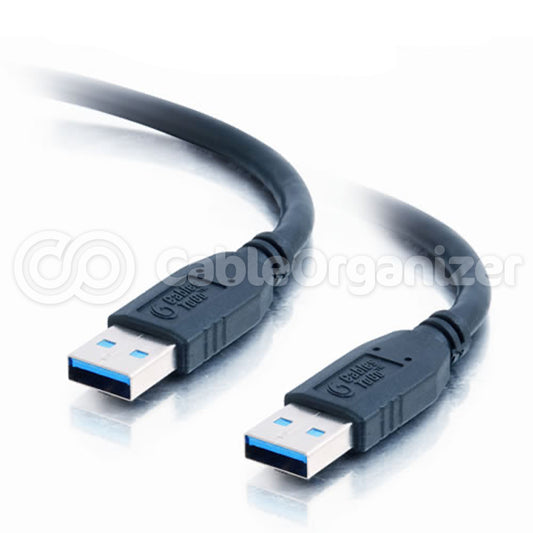
Standard USB: Standard is the original USB connector size, and the largest of the bunch. Standard-size “A” connectors have a long and extremely narrow rectangular shape (approximately 4mm x 12mm), while standard “B” connectors are still oblong, but with shorter and wider proportions (at roughly 7mm x 8mm, they’re closer to being square). Standard USB connectors are typically used with, well, “standard” peripheral devices like printers, keyboards, computer mice and scanners.

Mini USB:Developed for use with small, portable peripherals like digital cameras, cell phones and MP3 players, Mini USB connectors feature a more compact and space-efficient design than standard USB connectors. Unlike standard A and B connectors, Mini A and B have very similar shapes; however, it’s possible to distinguish one from the other by the upper halves of their vertical edges: Mini A’s sides are straight, but Mini B’s are rounded.

Micro USB:In January 2007, the USB-IF approved what was then the most space-conscious connector size: Micro USB. Micro USB connectors are approximately 50-60 percent smaller than mini connectors and replace Mini USB in many new Smartphones.

USB 3.0:The rectangular-shaped USB 3.0, which was released in November 2008 is backward-compatible and able to accommodate plugs before version 3.0. The 3.0 is the standard plug for most laptops but not as rapid with data transfers as the latest USB.

USB-C:The oval-shaped 24-pin connector was developed as a replacement for previous connectors. It is interchangeable and is more versatile than its predecessors; and has been the leading USB technology since 2014, replacing USB-A, USB-B, HDMI, 3.5mm audio jacks and the DisplayPort audio/video connectors. USB-C is also bi-directional, meaning the power can flow from either direction. It is used for a range of items, including smartphones, computers, cameras and games.
Shop at CableOrganizer® for all your USB product needs, including cables, switches, desk outlets and more.