How to Get Back What's Yours: Reclaiming Your Desk with Cable Management
By: CableOrganizer®

Does your desk work for you…or do you work for your desk? At one time or another, many of us have had the experience of trying to type and make phone calls amid piles of productivity-squashing clutter, moving gingerly to avoid further aggravating the chaos that’s hemming us in. With all the cords and devices that can pile up in and around our workspaces, many of us end up settling for what little leftover space our messy desks grant us.
That clutter reign is about to end. For all the clutter slaves out there, it’s time to rise and show your desk who is boss — by reclaiming it with some simple desk cable management.
We’re not suggesting you run out and pay a professional organizer an hourly fee. All it takes is some spare time, creativity and a few simple products to whip things into shape yourself. As you read our tips and tricks for setting your workplace straight, just think of how good it will feel as you subdue rebel cables with your own two hands, then stand triumphantly over the newly reorganized desk that is all yours.
What are some of these products that can keep desk cables in check?
CABLE MANAGEMENT KITS

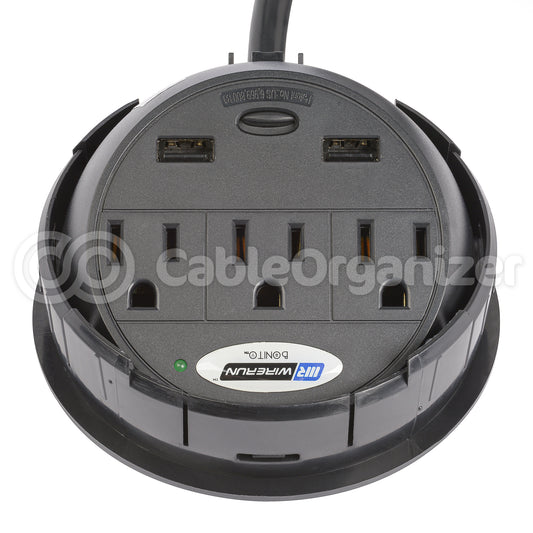
This kit works with your desk to provide a spot to corral plugs, while keeping wires out of the way. It comes with both a desk organizer tray and six-outlet surge protector. There are several tray sizes to choose from and the cord to the surge protector in the cable management kit is 15-feet in length, to accommodate any distance to an outlet.
J-CHANNEL

Another great way to manage unruly computer cords is to route them from your work surface to a power source along the lines of your desk. How do you accomplish that? Try J-Channel, a semi-enclosed cable raceway that easily mounts onto smooth surfaces with the help of a pre-applied, self-adhesive backing. Whether you use it on the inner or outer face of your desk — or even along your baseboard — J Channel couldn’t be simpler to put into action. Just measure the channel, cut it to size, attach it to the surface of your choice and slide cables into it. Its J-shaped profile keeps cords completely concealed but makes it a breeze to lift them out — and insert new ones — whenever the situation calls for it. The Humanscale® NeatLinks™ is a J-Channel system that works with a self-adhesive backing or screws, to attach it to a surface.
CORD ORGANIZER
 Wrap N Strap® Rubber Strap Cord Organizers are strong, adjustable, and reusable cable organizers that can be applied in nearly any application. Just wrap one around your wire bundle and pin it at the correct diameter. There are multiple types, from standard to electronics. They are available in many sizes, whether wrapping up the smallest phone charger cords, or bulky computer cords.
CABLE SASH

A Cable Sash™ lets you stash your computer cables into a nylon fabric sleeve. It wraps around cable bundles with a hook-and-loop system; and cinches at both ends to prevent the bundle from sliding. The Cable Sash™ can be color coordinated to match several décor possibilities, with it available in red, beige, blue and white.
BRAIDED SLEEVING

Standard braided sleeving made of Polyethylene (PET) can help to cover and organize long wire runs. Flexo® PET, which expands to 150%, can also cover large connectors. It comes in a range of colors to match your décor or for color coding. Flexo® F6® is a split, wrap sleeve that is another way to cover computer wire runs. It has a 25% edge overlap that enables the sleeving to maintain coverage, even around bends.
OFFICE ORGANIZATION KITS

Looking for several wire organization systems in one? CableOrganizer® has several kits that feature different products to wrap cables. Products within the office organization kits may include VELCRO® Brand Wire Wrap, wire clips, nylon cable ties, J-Channels, light duty cord covers, F6® Braided Sleeving and more.
Shop at CableOrganizer® for many more cable management solutions for your desk area.