Component Video Cables Demystified
By: CableOrganizer®
If you've ever wondered what makes DVD pictures look so much crisper and cleaner than what you used to experience with old VHS and LaserDisc technology, the answer is simple: component video. What exactly is component video, you ask? Well, one thing's for sure: it's not just the three-connector cable that's attaching your DVD player to your TV.
Component video is the entire technology used to deliver clear, accurate, richly colored images from their starting point in a DVD player to their final destination: your eyes. From bandwidth and color difference signals to data formats and cable anatomy, get ready to look at what makes component video, well… component video.
THE COMPONENT VIDEO SIGNAL
Component video is referred to as a multi-scan format, which means it belongs to a class of video signals that can be transferred in a varying number of lines and at different frequency rates, whether they're set in interlaced or progressive scan mode.
Component video signals contain three different types of information: scan, which tells displays exactly where video lines and frames begin and end;luminance, which specifies how bright each part of the image should be; and chrominance, which controls the image's color.
Just as a component video cable is made up of three separate conductors/connectors, the chrominance portion of a component video signal is broken down into three separate colors: red, green, and blue. But instead of the colors being sent as strictly red, green, and blue information, they're transmitted as color-difference signals, which combine the colors with luminance data and sync pulses in order to conserve bandwidth. Each color-difference signal is transmitted through one of the component video cable's three wires, whose respective connectors are color-coded to match the signals they represent (that's why you'll always see red, green and blue connectors on this type of cable).
Below you'll find the breakdown for each channel, listed according to connector color:
- Red: Red, minus the total luminance value
- Green: Luminance (the total brightness value), as well as sync pulses
- Blue: Blue, minus luminance
You'll notice that there isn't any green color information transmitted through the green channel. This is because with component video format, display devices only require red, blue and luminance values. As the television or flat screen monitor reads and compares these three factors, it can automatically infer which parts of the overall image needs to be green.
CONNECTOR TYPES & CHARACTERISTICS
Just to dispel any possible misconceptions, we'll begin by saying that there's really no such thing as a Component Video Connector. Component video connectors are described as such strictly because they terminate component video cables. There are several possible connector designs, and just about any of them can be used on other types of audio/video cable.
Connector styles that you're likely to find on a component video cable include:

RCA
Named for Radio Corporation of America — the company that developed them — RCA connectors were originally used to feed audio from phonographs into radios for amplification, but for more than 70 years, they've made the transition to video signals. As a matter of fact, RCA is one of the most common connector styles you're likely to find on the ends of a component video cable. With their round connector shape and single center pin, RCA Connectors are a familiar sight to just about anyone who has dealt with the audio/video plug-in points on consumer electronics.

BNC
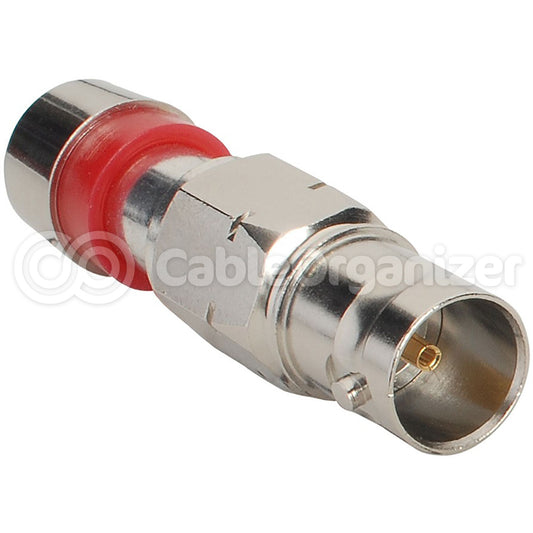
BNC connectors, which were developed by Paul Neill of Bell Labs and Amphenol's Carl Concelman, are sometimes used for component video connections in high-end consumer or professional-grade electronics. Classified as “bayonet-style,” BNC connectors engage with their corresponding jacks in much the same way that bayonets are mounted to rifles — once plugged in, the connector is twisted so that the jack's two retaining pins lock into its bayonet ring. The resulting coupling is strong and secure, and often helps to reduce signal loss.

VGA
While 15-pin VGA connectors are most often used for RGBHV (Red Green Blue Horizontal sync Vertical sync) connections, they're also capable of transmitting component video, provided that the devices that they're connected to are configured to accept component video signal. When VGA connectors — also known as “HD-15” connectors — are used in component video applications, signals are sent through the first, second and third pins, with pins number six, seven and eight serving as grounds.
No matter which type is used in component video connection, the most important characteristics to look for in a component video connector are how well it stands up to extended use and multiple disconnect-reconnects; whether or not it makes strong electrical contact with jacks; and a snug fit that firmly grips jacks without being tight enough to cause damage. Another recommended feature for component video connectors is non-corrosive plating with metals like nickel or gold, which help to maintain connection quality by preventing oxidation.
Shop at CableOrganizer® for component video cables and all your video cable management needs.